Best monitors for a home office under $400
Under $400, the feature that changes a home office is not resolution. It is a single USB-C cable that runs the screen and charges the laptop.
3 products ranked Updated
Our rankings are built from published testing by named outlets, not from our own lab. We earn a commission when you buy through our links, and it never changes the order.
The short answer
- 1 Dell Pro 27 Plus USB-C Hub Monitor (P2725HE) Best for a laptop desk $359.99
- 2 Alienware AW2726DM Best picture for the money $349.99
- 3 Arzopa M1RC Cheapest 1440p worth considering
Prices checked 14 September 2026. They move constantly — the retailer's own page is the authority.
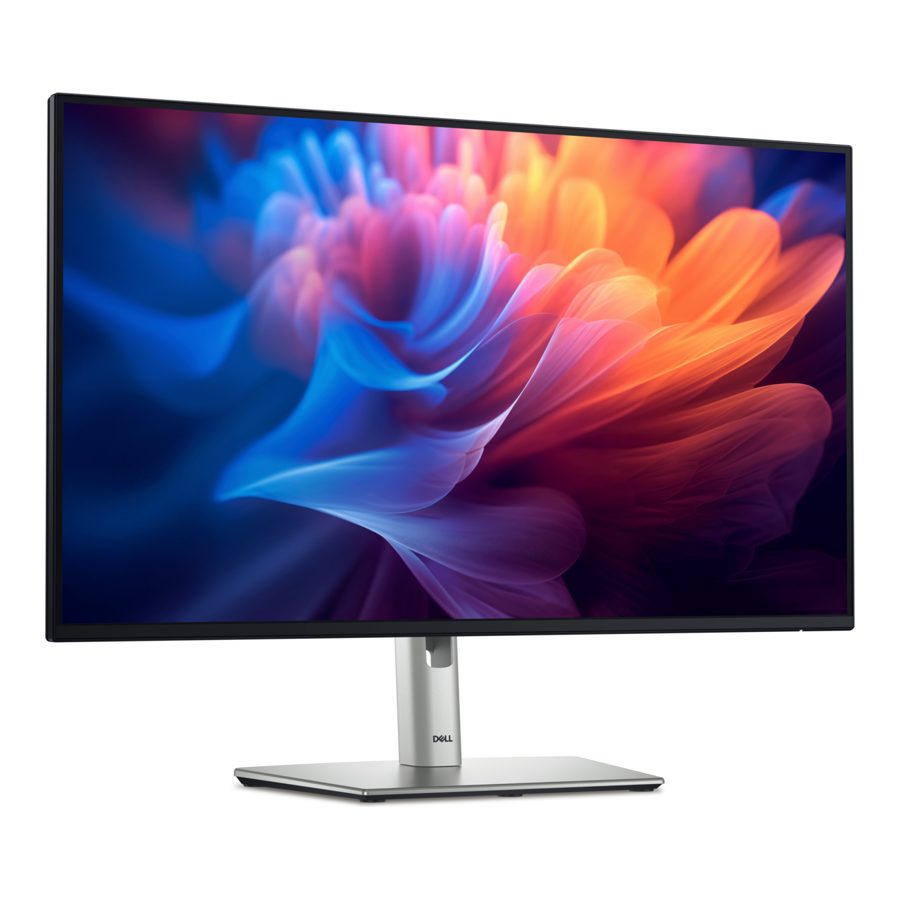
Dell Pro 27 Plus USB-C Hub Monitor (P2725HE)
4.5 / 5
Our reading of TechRadar — their best 1080p monitor for working from home , 2026
The monitor for someone who works on a laptop: plug in one USB-C cable and it charges the laptop at up to 90W, carries the picture, and gives you Ethernet and USB ports on the back. That replaces a dock and a tangle of adapters, which is worth more at a desk than extra pixels. It is 1080p on a 27-inch panel, fine for email and documents but visibly softer than 1440p for spreadsheets. The stand adjusts properly for height.
Pros
- One-cable USB-C with 90W laptop charging
- Ethernet and USB hub built in
- Height-adjustable stand
Cons
- 1080p is soft at 27 inches
- No speakers
- $359.99, near the top of this budget
- Screen
- 27 in, 1920 x 1080, 100 Hz
- USB-C
- up to 90W power delivery
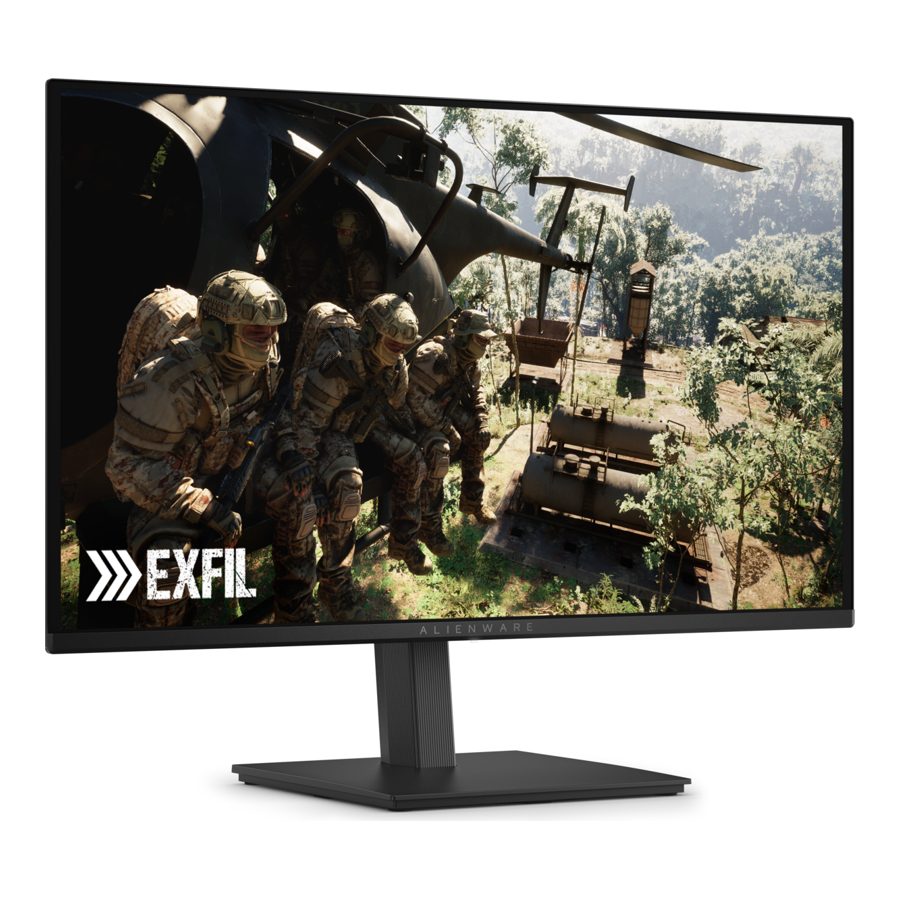
Alienware AW2726DM
4.5 / 5
Our reading of Tom's Guide — their best value monitor , 2026
A sharper 1440p OLED screen with colours Tom's Guide measured beyond full coverage of the usual standards, for less than the Dell. It is really a gaming monitor, and two things make it a compromise at a desk: it is dim, at 181 nits in their measurements, which struggles in a bright room, and it has no USB-C, so a laptop needs an HDMI cable and its own charger. OLED panels can also retain static images such as taskbars over long periods, so check the warranty's burn-in terms. Buy it if your office doubles as the place you play.
Pros
- Sharp 1440p OLED with excellent colour, per Tom's Guide
- Very smooth 240Hz for after-hours gaming
- $349.99
Cons
- Dim: 181 nits measured in SDR
- No USB-C, so no one-cable laptop setup
- OLED can retain static screen elements over time
- Screen
- 27 in, 2560 x 1440 QD-OLED, 240 Hz
Where these findings come from
- Tom's Guide: best value; 27-inch 2560 x 1440 QD-OLED at 240Hz for a $349 asking price; colour gamut and accuracy above 100% of sRGB and DCI-P3 in their tests
- Tom's Guide: dim, at 181 nits in SDR and 342 nits HDR; ports are 2x HDMI and 1x DisplayPort, no USB-C
Arzopa M1RC
3.5 / 5
Our reading of TechRadar — their best budget monitor for working from home , 2026
A 27-inch 1440p screen for well under this budget, which gives noticeably more working space than the Dell's 1080p. TechRadar is candid about why it is cheap: colours are not accurate, contrast is average and brightness is uneven across the panel. For documents and browsing that barely matters; for photo editing it rules it out. The stand only tilts, so budget for a monitor arm. No price or photograph: Arzopa's own product page now redirects to a list of its portable monitors, so the link is a search.
Pros
- 1440p at 27 inches for a low price
- 180Hz
Cons
- Poor colour accuracy and uneven brightness
- Tilt-only stand
- No verified price or photograph

What actually matters in a home office
USB-C with power delivery, if you use a laptop. One cable carries the picture, charges the laptop and connects the monitor's USB ports. It removes the dock and most of the cables from your desk. Check the wattage covers your laptop: 65W is enough for most, 90W for larger ones.
Resolution against size. At 27 inches, 1080p looks slightly soft up close; 1440p is sharper and fits more on screen. 4K at this size is lovely and usually costs more than this guide's ceiling.
A stand that adjusts for height. The top of the screen should sit at about eye level. A tilt-only stand means stacking books or buying an arm.
Brightness for your room. A sunny room needs a brighter screen. OLED monitors in this price range are often dim.
Where this comes from
We do not test monitors. This guide combines TechRadar's home-working round-up and Tom's Guide, which benchmarks each monitor with measuring equipment. Brightness figures on this page are Tom's Guide's measurements.
What we are leaving out
4K office monitors such as TechRadar's overall pick, the Dell UltraSharp U2723QE, which usually sell above $400, and portable monitors.
Where this comes from
We did not test these. These people did.
Every score on this page rests on the testing below. The ranking is ours; the measurements are not. How we research.
- TechRadar — A round-up of monitors their team reviewed for home working, judged on image quality, ports, ergonomics and eye comfort. Updated July 2026.
- Tom's Guide — Monitors benchmarked with professional equipment for colour gamut, accuracy, brightness and response time, and used for work and gaming. Updated September 2026.
Questions people ask
Will a USB-C monitor work with my laptop?
Is a curved or ultrawide screen better for work?
More guides

Best LED bulbs for warm light
Warm light is mostly about Kelvin, not the word “soft white” on the box. The strongest pick here is Consumer Reports’ 2700K GE bulb, while Tom’s Guide backs the basic rule that 2700K gives a warm glow. Smart bulbs can work too, but only if they can dim all the way down into the warm range.
3 picks Updated

Best stand mixers if you bake twice a month
If you bake twice a month, a stand mixer should be a convenience, not a burden. The best choices here are the smaller all-purpose models that handle whipped cream, cake batter, and cookie dough without much fuss. Bread specialists are better left to people who bake a lot of bread.
4 picks Updated

Best cutting boards for a dishwasher household
A dishwasher household needs boards that can take repeated wash cycles without warping, slipping, or becoming a nuisance to clean. The best picks here are the ones the outlets explicitly call dishwasher-safe, but each still has a catch: size, grip, or cutting feel.
5 picks Updated