Best mesh wifi for a three-bedroom house
In a three-bedroom house the number that matters is the speed in the farthest room, not next to the router. On that measure the cheapest system here beat the rest.
4 products ranked Updated
Our rankings are built from published testing by named outlets, not from our own lab. We earn a commission when you buy through our links, and it never changes the order.
The short answer
- 1 TP-Link Deco BE23 Best for most houses From about $180 for three units, per Tom's Guide
- 2 MSI Roamii BE Pro Fastest close up for the money
- 3 TP-Link Deco BE63 Best if you have very fast broadband
- 4 Eero Pro 7 Simplest to set up $549.99 for two
Prices checked 14 September 2026. They move constantly — the retailer's own page is the authority.
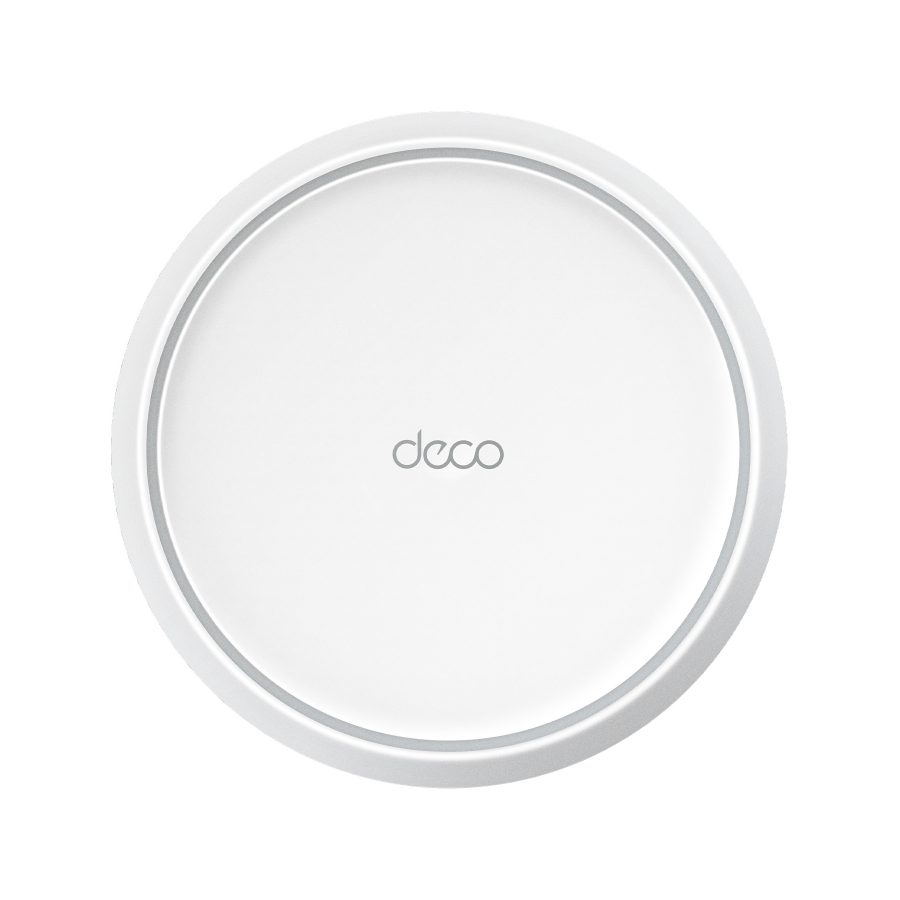
TP-Link Deco BE23
4.5 / 5
Our reading of Tom's Guide — their best budget mesh system, and the fastest of their picks at 90 feet , 2026
Slower than the others close to the router, and faster than every one of them at 90 feet: 150 Mbps where the top-rated MSI managed 66 and the Eero 21. In a three-bedroom house the far bedroom is the room you are buying mesh for, so that number decides it. It skips the 6 GHz band, which matters only if you pay for very fast broadband and own recent devices. TP-Link does not sell it directly, so the price is our source's.
Pros
- 150 Mbps at 90 ft, the best long-range result here
- Three units for around $180
- Small, discreet units and a simple app
Cons
- No 6 GHz band
- Only two Ethernet ports per unit
- Price quoted, not verified
- Wi-Fi 7, dual band, BE3600
- Measured
- 1.449 Gbps at 15 ft, 150.1 Mbps at 90 ft (Tom's Guide)
Where these findings come from
- Tom's Guide: best budget; measured 1.449 Gbps at 15 ft, 953.7 Mbps at 50 ft, 350.4 Mbps at 75 ft and 150.1 Mbps at 90 ft
- Tom's Guide: dual band only, no 6 GHz; two 2.5 Gbps ports per unit; quick setup; small units that are easy to hide
MSI Roamii BE Pro
4.5 / 5
Our reading of Tom's Guide — their best mesh Wi-Fi system overall , 2026
Tom's Guide's overall pick: tri-band Wi-Fi 7 at a price well below the usual for it, very fast in the same room and strong at 50 feet. Past that it falls away, to 66 Mbps at 90 feet, which is still enough to stream but is less than half the Deco above. It suits a house where the rooms that matter are within 50 feet of the router. No photograph or price: MSI's product page returned an error for us, so the link is a search.
Pros
- 1.885 Gbps at 15 ft and 815 Mbps at 50 ft
- Tri-band, with three 2.5 Gbps ports
Cons
- Drops to 66 Mbps at 90 ft
- Only sold in two-packs
- No photograph and no verified price
Where these findings come from
- Tom's Guide: best overall; tri-band Wi-Fi 7 for about half the price of rivals; 1.885 Gbps at 15 ft, 815.2 Mbps at 50 ft, 197.9 Mbps at 75 ft, 66.3 Mbps at 90 ft
- Tom's Guide: three 2.5 Gbps LAN ports; set up in 15 minutes; sold only as a two-pack
TP-Link Deco BE63
4.5 / 5
Our reading of TechRadar — their best mesh Wi-Fi system overall , 2026
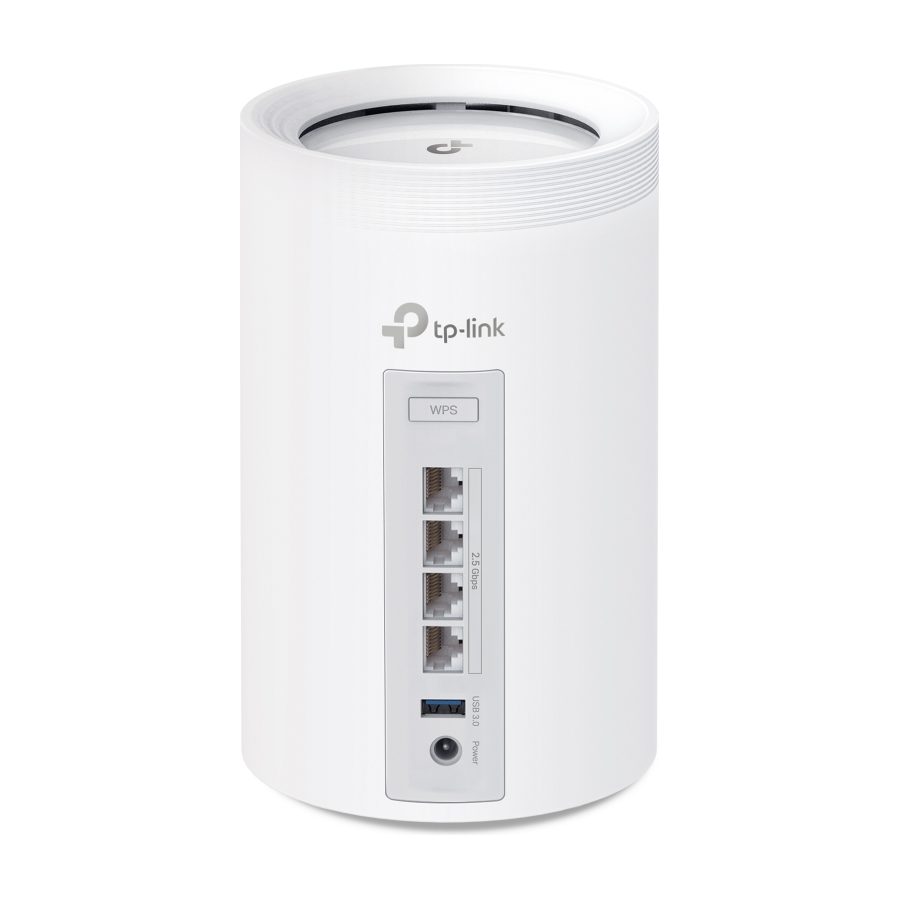
TechRadar's top choice, and the step up from the BE23 if your broadband is faster than a gigabit: it adds the 6 GHz band and four 2.5 Gb Ethernet ports per unit, and TechRadar found it held full speed as they moved through the building. Free parental controls are a real plus for families. No price here: TP-Link does not sell it directly and neither source quotes one.
Pros
- Tri-band Wi-Fi 7 with 6 GHz
- Four 2.5 Gb Ethernet ports per unit
- Free parental controls
Cons
- Some features need a subscription
- Overkill for broadband under a gigabit
- No verified price
Where these findings come from
- TechRadar: best overall; tri-band Wi-Fi 7; delivered their full broadband speed throughout the test building; four 2.5 Gb Ethernet ports; free parental controls
- Tom's Guide: measured the Deco BE63 at 1.821 Gbps at 15 ft; techradar-mesh notes some features need a subscription
Eero Pro 7
4 / 5
Our reading of Tom's Guide — their best mesh system for simplicity , 2026
The easiest system here to set up and forget, with automatic updates and an app a networking novice will manage. It is very fast within 50 feet. At 90 feet Tom's Guide measured just 21 Mbps, the weakest far-room result on this page, so in a spread-out house plan to place the second unit closer to the far rooms, or add a third. No photograph: eero's page shows it only in comparison graphics.
Pros
- Easiest setup and automatic updates
- Nearly 1 Gbps at 50 ft
- Works with Alexa devices as extenders
Cons
- 21 Mbps at 90 ft in testing
- Only two Ethernet ports
- $549.99 for a two-pack
Where these findings come from
- Tom's Guide: best for simplicity; 1.905 Gbps at 15 ft and 994.4 Mbps at 50 ft, but 234.7 Mbps at 75 ft and 20.8 Mbps at 90 ft
- Tom's Guide: very easy app setup and automatic updates; two 5 Gbps ports; works with Alexa and can use an Echo Dot as an extender

What actually matters
Speed in the farthest room. Every system is fast next to the router. Tom's Guide measures each one at 15, 50, 75 and 90 feet, and the order changes completely with distance. For a three-bedroom house, look at the 75 and 90 foot figures.
How many units. Two covers most three-bedroom homes on one or two floors. A long single-storey house, thick walls or a garden office may need three.
Where you put them. Halfway between the router and the dead zone, in the open, not in a cupboard or on the floor. A badly placed satellite undoes a good system.
Wired backhaul, if you can. Connecting the units with Ethernet cable frees all their wireless capacity for your devices. Look for 2.5 Gbps ports if your home is wired.
Wi-Fi 7 and 6 GHz. Worth paying for if your broadband is over about 1 Gbps and your phones and laptops are recent. Otherwise a dual-band system is enough.
A note on availability
TechRadar reports that new FCC restrictions on foreign-made routers, and a shortage of memory chips, are affecting what is in stock and what it costs in 2026. Check a system is still sold before planning around it.
Where this comes from
We do not test routers. This guide combines Tom's Guide, which measures each system's speed at four distances in real homes, and TechRadar, whose networking reviewer tests coverage and setup. The speed figures on this page are Tom's Guide's.
What we are leaving out
Single routers and range extenders, and gaming routers built for one room rather than a whole house.
Where this comes from
We did not test these. These people did.
Every score on this page rests on the testing below. The ranking is ours; the measurements are not. How we research.
- Tom's Guide — Each system measured for download speed at 15, 50, 75 and 90 feet in real homes, through walls and floors, plus two weeks of everyday use. Updated September 2026.
- TechRadar — Systems reviewed by their networking specialist for speed, coverage, setup and features in a test building with known dead spots. Updated August 2026.
Questions people ask
Will mesh Wi-Fi make my broadband faster?
Do I still need my internet provider's router?
More guides

Best LED bulbs for warm light
Warm light is mostly about Kelvin, not the word “soft white” on the box. The strongest pick here is Consumer Reports’ 2700K GE bulb, while Tom’s Guide backs the basic rule that 2700K gives a warm glow. Smart bulbs can work too, but only if they can dim all the way down into the warm range.
3 picks Updated

Best stand mixers if you bake twice a month
If you bake twice a month, a stand mixer should be a convenience, not a burden. The best choices here are the smaller all-purpose models that handle whipped cream, cake batter, and cookie dough without much fuss. Bread specialists are better left to people who bake a lot of bread.
4 picks Updated

Best cutting boards for a dishwasher household
A dishwasher household needs boards that can take repeated wash cycles without warping, slipping, or becoming a nuisance to clean. The best picks here are the ones the outlets explicitly call dishwasher-safe, but each still has a catch: size, grip, or cutting feel.
5 picks Updated